How Enterprise Virtual Assistants Actually Work Inside a Growing Business

November 24, 2026 at 07:52 AM
12 min read
# How Enterprise Virtual Assistants Actually Work Inside a Growing Business
Every growing business reaches a point where the work grows faster than the team. Inboxes fill up, meetings need notes, reports need preparing, and customers expect fast replies at any hour. Hiring solves part of this, but hiring is slow and costly, and new staff still need weeks to learn the systems and the customers. This is the gap an enterprise virtual assistant is built to fill.
An enterprise virtual assistant is software, not a person. It reads requests in plain language, works inside the tools a business already uses, and completes routine tasks without waiting for a human to click through each step. It is not magic, and it is not a replacement for judgment. It is a practical way to give a growing team more capacity without adding headcount at the same pace.
This article explains what these assistants are, how they work behind the scenes, what they can and cannot do, and how a growing business can set one up without disrupting the work that already runs well.
## What Is an Enterprise Virtual Assistant?
An enterprise virtual assistant is an AI-powered software system that handles business tasks across departments. It uses language models, connected business tools, and company knowledge to complete multi-step work that once needed a person at a keyboard.
The word enterprise matters here. A consumer assistant answers questions on a phone. An enterprise assistant works inside company systems such as email, calendars, customer records, and document stores, and it follows company rules about who can see what and who must approve which action. It also keeps a record of what it did, so a manager can check its work at any time.
The system has four parts that work together. The language model understands the request and plans the reply. The integrations connect it to email, calendars, and other tools. The knowledge base holds company documents, policies, and past answers so the assistant works from facts the business trusts. The guardrails set limits, such as which actions need human approval and which data the assistant may never share.
Think of it as a capable colleague who never sleeps, never forgets a procedure, and never gets bored of repetitive work. It still needs clear instructions and supervision, and it still makes mistakes when the instructions are vague or the data is wrong.
## How Does an Enterprise Virtual Assistant Actually Work?
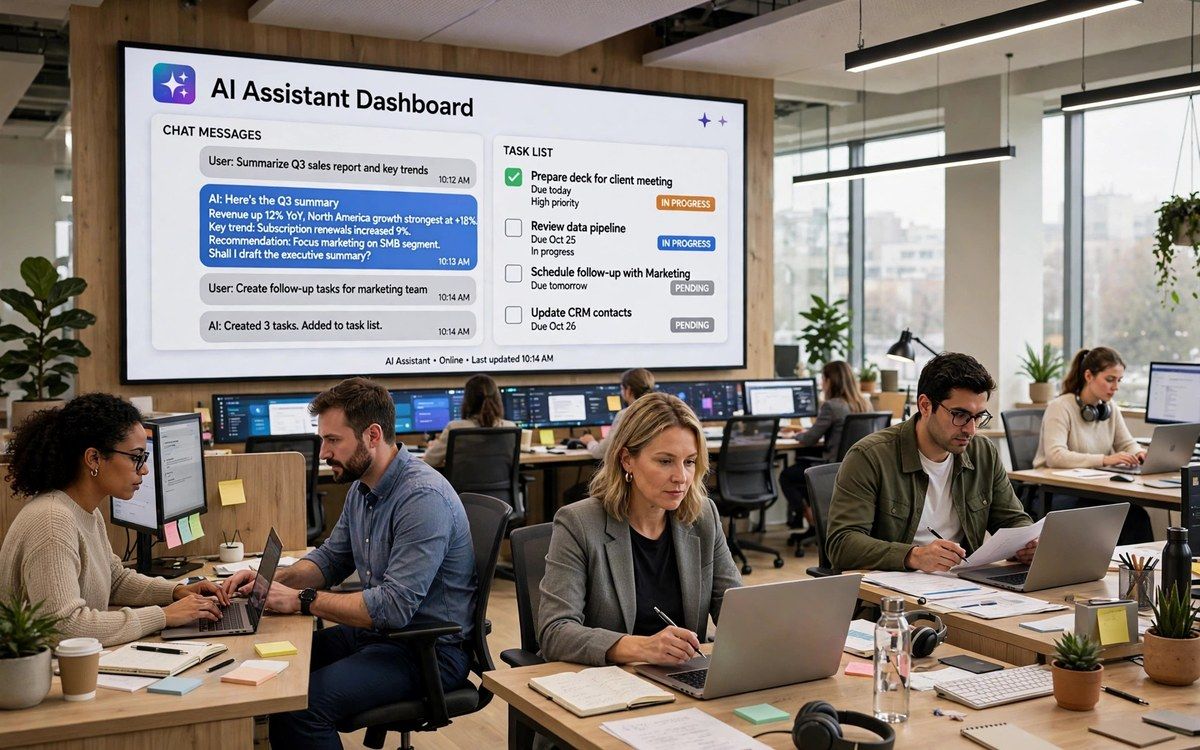
An enterprise virtual assistant works in a loop. It takes a request, works out what is being asked, gathers the facts it needs from connected systems, plans the steps, carries them out with the right tools, and reports back. A person reviews the result at the points where a mistake would be costly.
A request can arrive by email, chat, voice, or a form. The assistant first classifies the intent, such as booking a meeting or drafting a reply, and then pulls context from the calendar, the customer record, or the relevant policy document. Retrieval from company documents is what keeps the answers grounded in the business rather than in general knowledge, and it is the step that most often decides whether the result is useful.
Next comes planning. A simple request may need one step, while a complex one may need several, such as checking availability, drafting a message, and updating the record. The assistant calls tools for each step, and each tool call is logged. If a step fails or the facts are missing, the assistant asks a person instead of guessing, which is the behaviour that separates a reliable system from a risky one.
This loop is the same pattern behind many business automation tools. Smaller teams often start with workflow automation, and one practical example is described in this guide to [AI agents for businesses](https://www.xoxi.me/digitalsilkroute/blog/building-n8n-ai-agents-for-pakistani-businesses-a-practical-guide). The difference with an enterprise assistant is the scope: it works across departments, keeps memory of past work, and follows the same rules every time. Companies that build these systems, such as [SoftBrixAI](https://www.softbrixai.com/), usually start from the workflows that cost the most staff time, because those give the clearest return on the investment.
## What Tasks Can an Enterprise Virtual Assistant Handle?
It can handle scheduling, inbox triage, meeting notes, document drafts, data entry, report preparation, customer support replies, and research summaries. The common thread is that each task has clear inputs, clear rules, and an output a person can check quickly.
In sales, it can qualify new leads, log calls, and prepare follow-up messages. In support, it can answer common questions, gather the details a human agent needs, and close simple tickets. In operations, it can track orders, chase missing documents, and prepare weekly reports. In HR, it can screen applications against a checklist, schedule interviews, and answer policy questions. In finance, it can match invoices, flag missing receipts, and draft payment reminders for review.
The limit is judgment. Tasks that need negotiation, empathy, or a decision with real risk should stay with people. A good rule is simple: if the task is the same every time and the correct answer can be checked, it is a candidate for the assistant. If the answer depends on reading a room, it is not.
Many teams keep a written list of three groups: tasks the assistant may do alone, tasks it may draft for review, and tasks it must never touch. That list is the real control panel of the system, and it should be reviewed whenever the business adds a new product, a new market, or a new rule.
## How Is an Enterprise Virtual Assistant Different From a Chatbot?
A chatbot answers questions in a conversation, while an enterprise virtual assistant completes work across systems. The chatbot stops at the reply, and the assistant continues to the action, such as booking the meeting, updating the record, or sending the document.
A chatbot usually has no memory beyond the current conversation and no access to company tools. An enterprise assistant remembers past interactions, reads company data, and acts through integrations. That access is also the reason it needs stronger controls: a wrong answer from a chatbot is a bad reply, while a wrong action from an assistant can change a booking, a record, or a payment.
The two can work together. A chatbot can be the front door that greets customers, while the assistant does the work behind it. Businesses that confuse the two often end up disappointed, because they expect a question-answering tool to do the work of a system that acts. The question to ask before buying is not how smart the tool sounds, but what it is allowed to do after it answers.
## What Does It Take to Set One Up in a Growing Business?
It takes a clear list of the tasks to automate, access to the systems those tasks touch, a knowledge base the assistant can trust, and a short pilot with real users before wider rollout. Most teams start with one department and one workflow, then expand only after the first one works reliably.
The first step is choosing the workflow. The best candidates are frequent, repetitive, and easy to check. The second step is mapping the process exactly as it runs today, including the exceptions that staff handle without thinking. The third step is connecting the tools and loading the documents the assistant will need, with access limited to what each task requires and nothing more.
Testing comes before launch. The team runs the assistant on real past requests and checks every result, then runs a pilot with a small group of users for a few weeks. Only when the pilot meets its targets does the rollout widen. A team that wants a production system often works with a specialist, and an [enterprise virtual assistant](https://www.softbrixai.com/services/enterprise-virtual-assistant/) built for that company is usually scoped around the workflows that cost the most time. Rushing any of these steps is the fastest way to lose the trust of the people who are supposed to use it, and trust lost early is hard to win back.
## How Do Teams Measure Whether It Is Working?
Teams measure time saved per task, the share of tasks completed without human help, error rates, response times, and user satisfaction. The useful measure is the outcome for the business, not the number of messages the assistant handled.
A baseline matters. Before the pilot, the team records how long each task takes by hand and how often it goes wrong. During the pilot, the same numbers are tracked for the assistant, along with the escalation rate, meaning how often it hands work back to a person. A rising escalation rate is a warning that the instructions or the data need work.
Cost per task is another useful number. It includes the software, the model usage, and the staff time spent reviewing. If the cost per task is higher than doing it by hand, the workflow was the wrong choice, and the team should pick a different one rather than defending the first pick. Reviews should be regular, not once a year, because the business, the tools, and the staff all keep changing, and a system that is never reviewed slowly drifts away from what the business needs.
## What Are the Common Mistakes Businesses Make?
The most common mistakes are automating a broken process, giving the assistant no access to real data, skipping human review on important actions, and rolling out to the whole company before the pilot proves itself. Each of these turns a useful tool into a source of extra work.
Automating a broken process only produces wrong results faster, so the process should be fixed first. An assistant without data access will guess, and guessing is where the embarrassing mistakes come from. Skipping review on payments, external messages, or customer records removes the safety net that catches the remaining errors.
The fourth mistake is about people. Staff who were never asked what they need will not trust a tool that arrives by announcement. The teams that succeed involve the people who do the work from the first week, listen to their complaints, and fix the small annoyances quickly. Adoption is a people problem as much as a technology problem, and it is the part most projects underinvest in.
## What Should a Business Look for in an Enterprise Virtual Assistant?
A business should look for strong data security, clear limits on what the assistant can do, reliable connections to its existing tools, readable logs of every action, and a simple way for staff to correct it. The best choice is the one the team will actually trust and use every day.
Security comes first. The assistant should encrypt data, respect access rules, and never train on company data without permission. Integrations matter next, because an assistant that cannot reach the calendar or the CRM cannot do much work. Logs matter too: every action should be traceable to a request, a time, and a person who approved it, so that any error can be found and fixed.
The human side matters as much as the technical side. Staff still need ways to present their skills and build credibility as routine work becomes automated, and a [professional portfolio](https://www.xoxi.me/vst/blog/from-portfolio-to-opportunity-how-xoxi-helps-you-get-hired) is one way that stays visible. As the tools change, the way professionals organise their work changes too, and an [all-in-one career platform](https://www.xoxi.me/vst/blog/why-modern-professionals-need-an-all-in-one-career-platform) is one example of that shift. A business should choose a system its team understands, and a vendor that answers when something goes wrong.
## Conclusion
An enterprise virtual assistant is not a futuristic idea. It is a practical tool for a growing business that has more routine work than people to do it. It reads requests, gathers facts, calls the right tools, and completes tasks that follow clear rules, while people keep the judgment calls and the relationships.
The businesses that get value from it start small, pick one workflow, measure the result, and expand only when the pilot earns it. They treat the assistant as a colleague that needs instructions, supervision, and regular review. Done that way, it gives a growing team something hiring alone cannot: capacity that scales with the work, without losing the human care that customers notice.
## Frequently Asked Questions
### Is an enterprise virtual assistant the same as hiring a remote assistant?
No. A remote assistant is a person working from another location, while an enterprise virtual assistant is software. The software handles routine, rule-based tasks at any hour, and the person handles judgment, relationships, and exceptions. Many businesses use both.
### How long does it take to set one up?
A focused pilot often runs within a few weeks, including mapping the workflow, connecting the tools, and testing on real requests. A wider rollout takes longer, because each new workflow needs its own testing and review, and each department needs time to trust the result.
### Can it work with the tools a business already uses?
Yes, if those tools offer integrations or an API. Email, calendars, CRMs, and document stores are the most common connections. Tools with no integration path may need a manual step or a different approach, and that limit should be found during the pilot rather than after the launch.
### Does it replace staff?
No. It takes over repetitive tasks so staff can spend time on work that needs judgment, creativity, and human contact. Teams that use it well usually redeploy people to harder problems rather than removing roles, and the staff who were doing the routine work often become the ones who supervise and improve the assistant.